Ah yes, sorry too easy to forget the details between reads.
@claudiu please can you send me credentials for the Amazon AIAFF account please.
Ah yes, sorry too easy to forget the details between reads.
@claudiu please can you send me credentials for the Amazon AIAFF account please.
Done ! Good luck 
@son_of_bob I’ve also made you admin as there were no objections. So you can view the site settings now.
No obligation to moderate if you don’t want – or you can if you want  . But you can configure the site now.
Thanks. Regarding the S3 bucket, are there any location preferences? In my field used to setting everything up in the UK being as that is where I am based lol.
As I mentioned in the PM, I will try this out later when back as going out for the day now with wife and kids.
Thanks @claudiu and to the others.
I have no moderation experience but I will check out the guide. If there is anything else specific to our forum/group that you think I should be aware of then please let me know.
Ask around in the staff area, especially if in doubt. And remember that you’re still a feeling being. 
I don’t know. May be @claudiu has a reason for preferring a particular one.
Thanks, I think there are enough moderators/admins so I will predominantly stick to the tech stuff. If something concerning comes to mind with a user or the need to merge/move posts I will let the rest of you know.
Yes indeed, full on feeling being here sadly lol.
Why sadly??? It is what it is 
Hi @Miguel and @claudiu, I have created an Amazon S3 bucket on the AIAFF AWS.
There was a lot more I wanted to read up on first before attempting and unfortunately my work and personal life have been very busy recently.
I followed a mixture of the below guides focusing only on the backups, some covered allowing file uploads also to be uploaded in this related s3 bucket.
So, I have completed this step – 2) Create a bucket …in reality this has involved a few other subtasks.
I named the bucket “aiaff-backup-bucket”.
a) create the bucket → ensuring correct naming standards, defining different properties such as enabling ACL to be defined.
b) defining an IAM policy → this defines the access writes that can be used for the bucket. Used JSON definition for defining this.
c) a user account created for automatic use and whose permissions are defined by the policy created in step b.
I have updated Discourse via the Admin console to point Backups to S3 instead of local storage, and have explicitly pointed it to the “aiaff-backup-bucket” S3 bucket.
In the Files section I had to update the s3 credentials related fields including the s3 region.
I have not implemented any change for file uploads like some of the guides go into. I have also not changed the schedule and frequency already defined for the backups when it was set for local storage.
On updating this information, I noticed all of the local backups seemed to have disappeared. I ran a manual backup to see if it populates to the Amazon s3 bucket and it seems to have worked ok.
Good!
The automatic backup worked. So we can consider steps 2 and 3 complete now.
So, regarding step 4:
4. Set up MultCloud account.
Do we have an existing MultCloud for the AIAFF yet or is this something that we still have to set up?
It would not make sense to create an account in the name of AIAFF that could be accessed by the same person who would hypothetically attack/boycott this site.
To clear up this remaining confusion, please read this answer Backups - #59 by Miguel.
Is it clearer now what this other layer of security consists of and why the accounts must be personal?
Yes ignore me. Apologies, I keep forgetting this. Too many projects and too many thought streams. I wish I had photographic memory lol. 
I made my own multcloud account and thought I could leverage the AWS user account used in the backups but it doesn’t seem to work for some reason. Giving an access denied message but with not much additional info.
Reading through the troubleshooting guides to try and figure out what is wrong with the policy or the bucket settings.
Don’t worry.
I have not yet tried to reinstate my backups in Multcloud with the new bucket.
Yes, I forgot to say I had to replace your settings you had before. To enable the backups.
Do you still have your “actualism” bucket? Maybe we can compare the settings between that and the “aiaff-backup-bucket”.
I created an access key for my sonofbob account on AIAFF AWS instead and used that credential to access the aiaff-backup-bucket and that has worked in connecting.
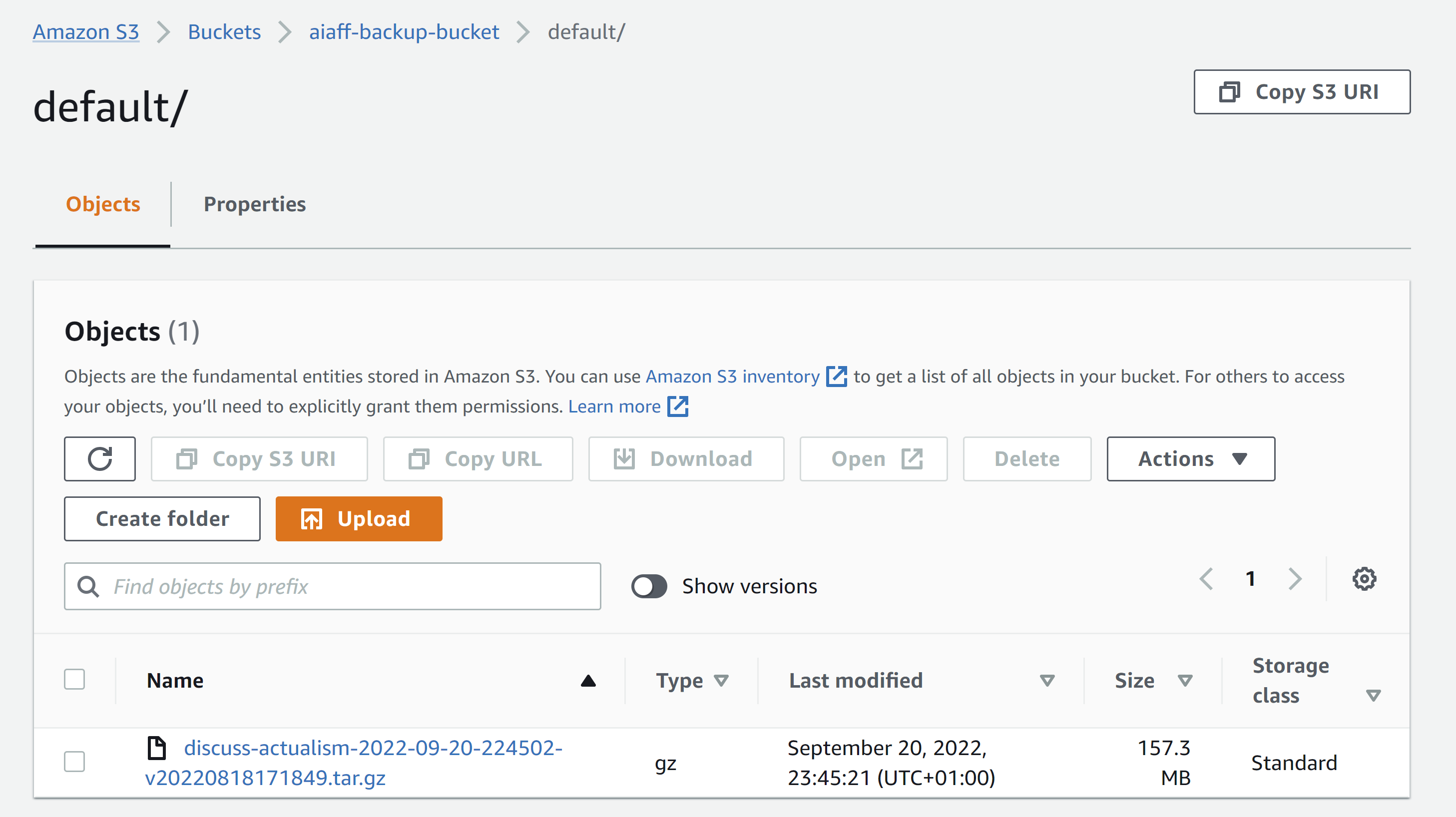
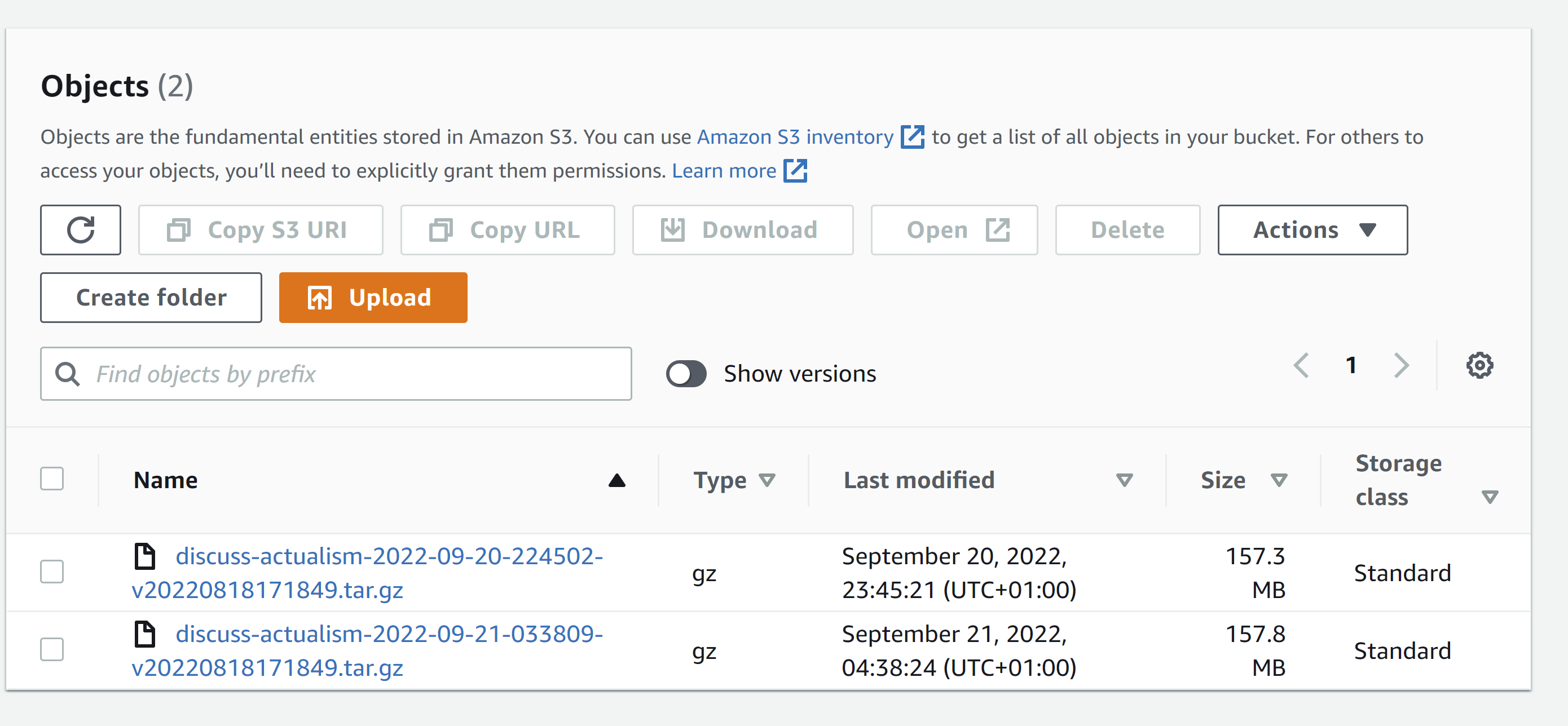
I can see the backups so far as in the image below.
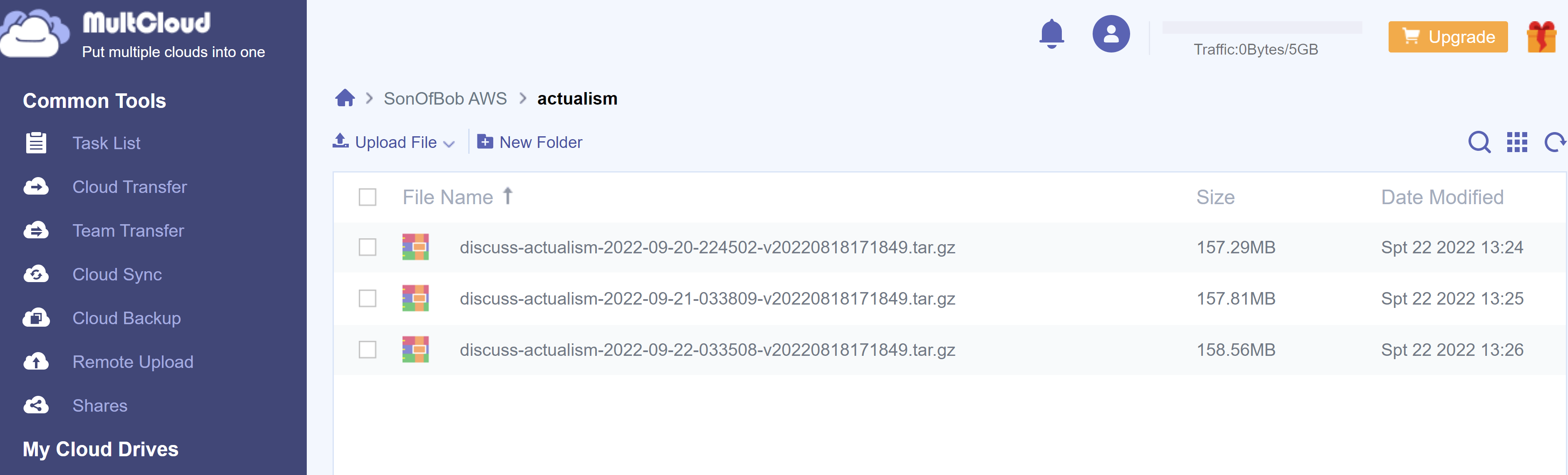
I followed the steps that you indicated in the admin message relating to personal syncs. I created a sonofbob AWS, with a superusers User group and a sonofbob user and then added my own bucket. Then I hooked up MultCloud to this bucket as well.
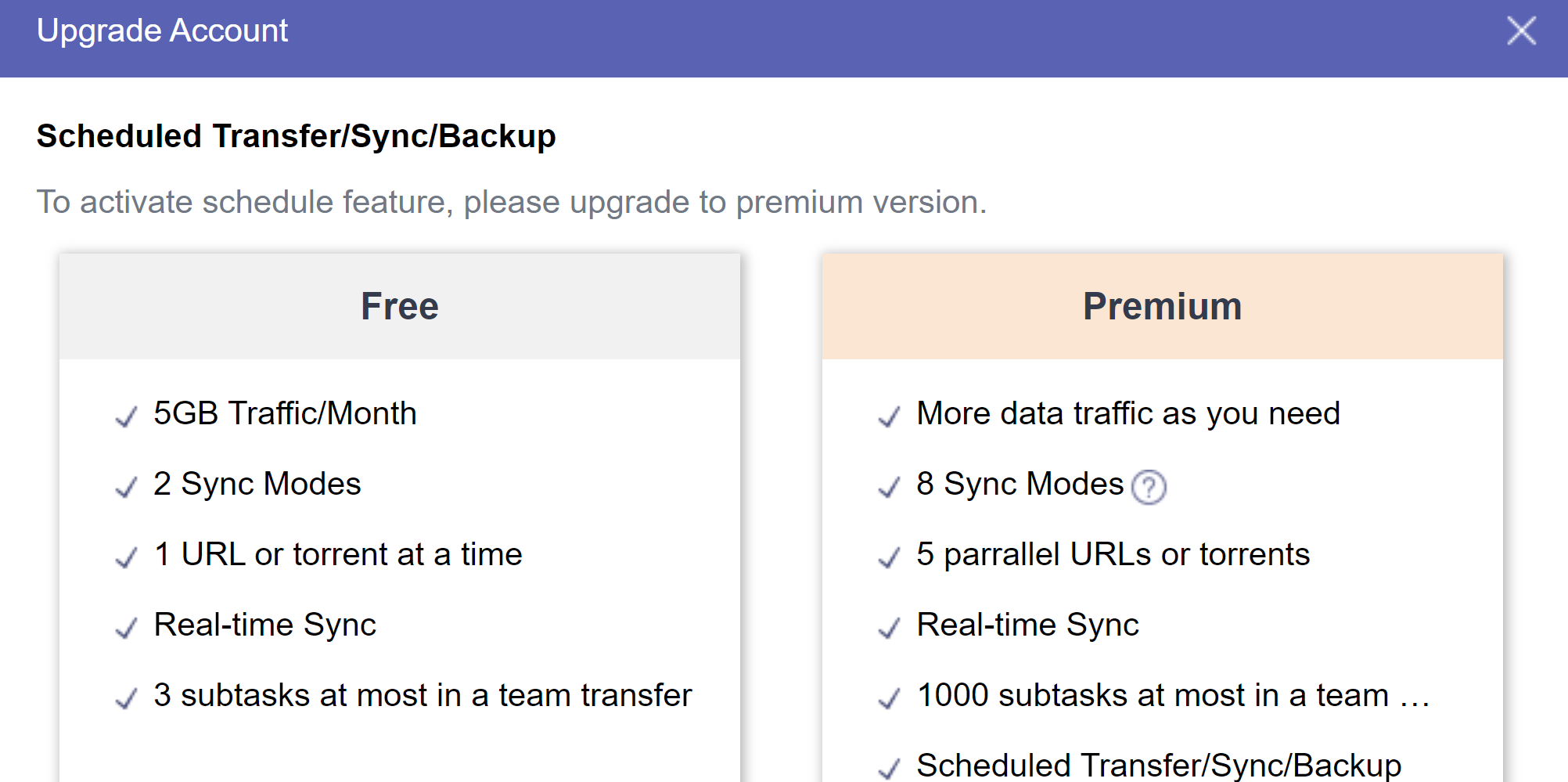
I synced manually as it seems the scheduled synced requires an upgrade. Manual sync worked.
The message to upgrade when trying to schedule:
No, it was gone when I close the previous AWS account (Backups - #51 by Miguel)
No worries, not needed anymore. Being in the superuser group you created for my account has full admin rights so worked. The backup account I made has more limited permissions, more so limited to S3 capabilities.
Following my own instructions in https://discuss.actualism.online/t/personal-syncs-with-backups/138 trying to set up a new Amazon S3 cloud in MutlCloud, now I get an “Access denied” message populating the “Access Key ID” and “Secret Access Key” fields with the data contained in those same Discourse fields, here on the forum.
Maybe it has to do with this:
or with some restrictions on authorization?
By the way, I don’t think it’s a good idea to create an individual bucket for us (as sonofbob’s). It’s not necessary for backups, it consumes additional resources, costs more money, in the case of MultCloud you would be accessing S3 twice as shown in your pictures (double data traffic), etc. And may be the message to upgrade when trying to schedule has to do with this doble acces to S3 with a free account. I don’t know.
Please try to reconfigure the bucket to work with the instructions in https://discuss.actualism.online/t/personal-syncs-with-backups/138 so any member of @staff can do their personal backups in the simplest way (as it was before: without having to give them permission in AWS, etc.). Even (if it can be done), please rename the bucket to “actualism” so I don’t have to change de instruccions. If it can’t be done, don’t worry: I’ll change them.
Yes, I followed the same instructions. However, I am assuming your original credentials used your account (or another) that was a member of the superusers User group which is attached to the policy with full admin capabilities. Best practice for backups in the guide stated the account for doing the backup should only have the explicit permissions for doing the S3 actions and not full admin rights.
For some reason, it is doesn’t connect with MultCloud though and it doesn’t work. Which is strange as has all permissions for S3.
Giving it full admin rights works but I don’t think is a great idea for the account to have, just in case it was compromised, best it is limited in its reach/scope.
My account on AWS is a superuser so connecting via that works fine as well.
There is some permission between Admin and the current policy for the backup that should allow MultCloud to sync, I am trying to figure out what that is.
So, for my MultCloud environment, I instead used my AIAFF sonofbob account to connect to MultCloud.
This is separate, this is my own environment that I had been meaning to set up anyway to learn more about AWS, trying to expand beyond the Azure and Microsoft stack so I thought this was a case of two birds with one stone, I set up an environment to play with and I can setup a destination bucket for my MultCloud to connect with.
No, you have misunderstood me. This is my own destination AWS created by me with my own S3 bucket. It is not under your AIAFF account. I am accessing S3 twice, to store on my own server.
Source - AIAFF AWS - S3 bucket (aiaff-backup-bucket) - leveraging my credentials at present until sort out credential/policy for backup account.
Destination - My AWS - SonofBob S3 bucket (sonofbob-aiaff-backup-bucket) - leveraging my credential on my own AWS, I copied the user group and user set up equivalent to what you have on AIAFF.
In your steps in the personal-syncs-with-backups you define using your own cloud destination, connecting the “To” option, this is my own cloud destination. It could have been Google drive, SharePoint, Dropbox, etc but I chose to make my own AWS destination, as it also gave me an excuse to have an AWS account to play around with. I don’t want to mess around in the AIAFF one.
Yes, I am aware and this and this is what the original intent was, the account not connecting to MultCloud was unexpected as the account policy has allow permissions for all S3 actions on that bucket.
Again reiterating the problem is figuring out the permissions between the accounts current custom policy and the admin privilege. As a temporary fix until I find out the explicit granular change, we can add the backup account to superuser User Group and it will work.
Even (if it can be done), please rename the bucket to “actualism” so I don’t have to change de instruccions. If it can’t be done, don’t worry: I’ll change them.
I asked about the location settings for the bucket but I meant to ask explicitly if there were any other settings preferences but forgot, sorry. I thought about this too but didn’t come to those instructions again until after already making the bucket. I will rename so your instructions are compatible, I need to redefine the policies with the new name then too as it explicitly references the bucket object and its internal components by name. Sorry, following the sort of naming conventions we do in my field, where objects should be named so it is obvious and unambiguous as to what they are, like maybe actualism-discourse-forum-backup-bucket would have been better if not long winded lol.